
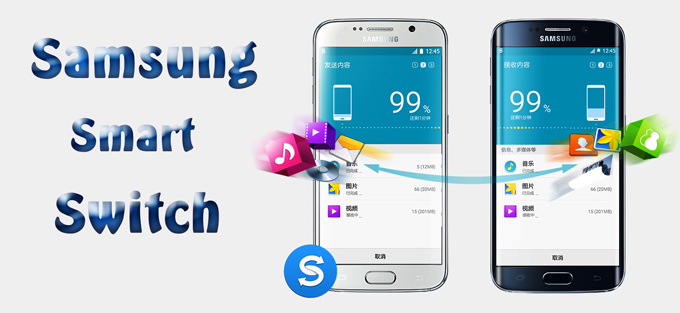
If you’ve ever used Samsung Smart Switch to move your contacts, photos, and messages to a new phone, it’s worth pausing to check which version you’re running. Samsung has patched four security vulnerabilities in the app that could have exposed sensitive personal data during device transfers. While none appear to have been exploited in the wild, the flaws are serious enough to warrant an update today.
- What’s Smart Switch, and why does this matter?
Samsung Smart Switch is the tool millions of Galaxy owners use to migrate everything from an old device to a new one — contacts, text messages, photos, videos, documents, account information, and device settings. Because it handles such a complete snapshot of a person’s digital life in transit, any weakness in how that data is protected during transfer is a meaningful risk.
- The four vulnerabilities
Security researchers Rene Denifl and Florian Draschbacher reported all four issues, which Samsung addressed in its August 2026 security bulletin with the release of Smart Switch version 3.7.72.6.
**CVE-2026-21079 (High severity)** — Smart Switch was transmitting sensitive data without encryption. An attacker on the same network (“adjacent attacker”) could potentially intercept that information as it moved between devices.
**CVE-2026-21080 (High severity) ** — The app was storing sensitive information in cleartext on the device, allowing an adjacent attacker to access that data directly.
**CVE-2026-21078 (Moderate severity)** — Smart Switch’s trouble-scanning mode didn’t sufficiently verify device identity, opening the door for an adjacent attacker to spoof a legitimate device during the transfer process.
**CVE-2026-21083 (Moderate severity)** — Improper input validation could allow an adjacent attacker to access sensitive data.
The common thread across all four: an attacker doesn’t need physical access to your phone, just presence on the same network, to potentially exploit these gaps.
- Is this actively being exploited?
As of August 10, 2026, CISA’s assessment listed exploitation status as “none” for CVE-2026-21079, and there’s no indication the other three have been exploited either. That’s the good news — this appears to be a case of researchers finding and reporting the flaws before attackers did. But “not yet exploited” is not the same as “safe to ignore,” especially for high-severity issues involving cleartext storage and unencrypted transmission of personal data.
- How to check your version and update
1. Open **Smart Switch** on your Galaxy device.
2. Go to the app’s settings or **About** section to check your current version number.
3. If you’re on anything **earlier than version 3.7.72.6**, update immediately through the **Galaxy Store** or **Google Play Store**.
4. Once updated, confirm the version number again to make sure the patch installed correctly.
Samsung typically pushes these updates automatically, but it’s worth checking manually rather than assuming your device already has it — particularly if you’re planning to use Smart Switch for an upcoming phone upgrade.
- The takeaway
Device migration tools are an attractive target precisely because they’re built to move your most sensitive data in bulk. These four flaws are a reminder that even trusted, first-party apps can carry serious vulnerabilities, and that a quick version check before your next phone transfer is worth the thirty seconds it takes.
Source: [eSecurity Planet — “4 Samsung Smart Switch Flaws Put Sensitive Data at Risk: Check Your Version”](https://www.esecurityplanet.com/threats/news-samsung-smart-switch-security-flaws-sensitive-data/)
